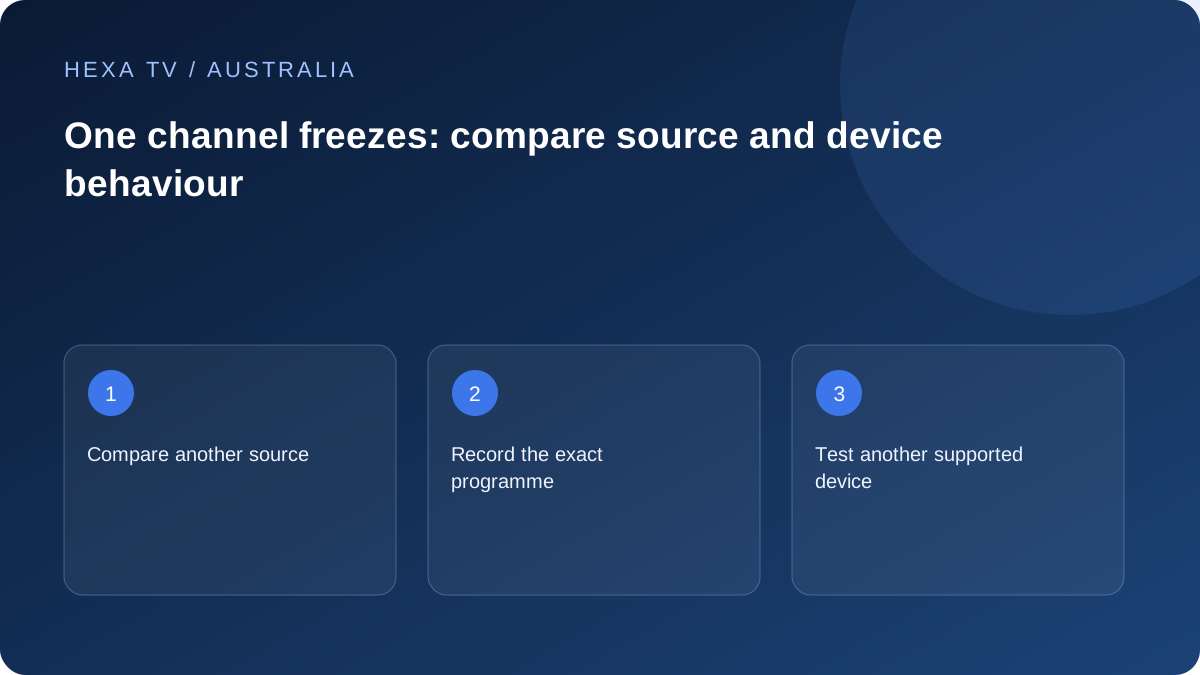
Keep the successful channels as controls
When one source freezes, try another on the same device close in time. Note whether the fault is a stopped picture, loading pause or app error.
If several sources fail, broaden the investigation through the buffering guide instead of treating it as a single-channel issue.
Check whether the fault follows the programme
Use another supported device within the account rules, stopping the first session when necessary. Compare the same source and record local time and timezone.
If the failure follows that programme while others work, the provider has a useful source-specific report. If it stays with one device, app or format support deserves attention.
Avoid losing the working baseline
Keep the rest of the setup intact while reporting the issue. A speculative router reset can disrupt unrelated household services and erase useful timing evidence.
Use an available authorised alternative while the responsible service investigates. The comparison identifies a direction; it does not prove a permanent outage or a guaranteed repair.
Describe exactly what stops moving
A still picture with working menus is different from an app that has closed or a device that ignores the remote. Check the normal Home control, listen for continuing audio and note any loading symbol. Those details identify the first stage that stopped working.
If the source is live, write the Australian local date, time and timezone. If it is on demand, write the playback position. A channel name alone is not enough for a service to find the corresponding event in its records, especially when support and viewers are in different locations.
Use a small controlled comparison set
Keep one working source as a control and change only the item first. A second supported device can then help show whether the behaviour follows the source. Stay within the account's allowed concurrent sessions; an extra test stream can itself trigger an access problem.
| Comparison | Keep steady | What to record |
|---|---|---|
| Another source in the same app | Device, account and connection | Whether menus and playback remain responsive |
| Affected source on another supported device | Source and, where possible, network | App versions and exact shared symptom |
| Supported lower quality option | Programme and device | Whether pauses change without claiming a cause |
| Current entry instead of old favourite | Account and programme identity | Whether the shortcut points to an obsolete source |
| Wired rather than wireless path | Same device and item where possible | Whether removing the local wireless link changes the result |
| Another time for an intermittent issue | Relevant setup | Date and timezone of each observation |
Avoid mixing source recovery with device recovery
If the whole Google TV device is unresponsive, Google's official guidance provides a restart route and separate later actions. Those later actions can remove data, so do not treat them as equivalent to reopening a programme. For a different brand or platform, use the manufacturer's own instructions.
If the menus remain usable and only one source stalls, preserve the working app configuration while checking that source. Clearing all data can remove favourites and credentials without changing an upstream item. The least disruptive action is the one that addresses the observed stage, not automatically the most familiar reset.
Make an on-demand failure reproducible
When a film or episode stops near the same position, record the position and the action immediately before it. Was playback continuous, resumed from a saved point or moved using seek? Compare another available item and, where supported, the same affected item on another device.
Do not conclude that a particular codec or file is defective merely because the picture stops. Give the publisher the repeatable sequence and let it inspect its source. If the position varies or the fault disappears, say that too; uncertainty is useful when it accurately describes what can be reproduced.
Handle a live-source problem without losing useful evidence
A live source moves on while you troubleshoot. Record the time before reopening it and note whether reopening jumps to a later moment. A temporary recovery does not establish that the original cause has been repaired.
A fictional report could read: 'At 19:40 in the stated city, one live source froze with audio continuing; another source played; reopening the affected source resumed later material; the same problem returned once.' This is an example of report structure, not an observation from a tested provider. Add your exact device and app information.
Do not turn a single-channel issue into an automatic nbn upgrade
If several unrelated services work and only one source fails, that is not enough evidence to blame the retail speed tier. If the fault later affects multiple apps or devices, broaden the network comparison and provide the retail provider with that new pattern.
A lower offered quality playing better can be helpful evidence, but does not identify the bottleneck alone. Keep source, device and connection observations together. Before spending on a new router or plan, ask which measured limitation the purchase is expected to address and how you will verify the improvement.
Leave a clear next step
For a source-specific pattern, send the exact item, times and comparisons to the content service. For a repeatable app crash, use the app publisher's route. For a device that freezes outside the app, use manufacturer support. Retain the working sources while the appropriate team investigates.
If a temporary alternative restores the evening's viewing, label it as a workaround and note any difference in coverage or quality. Restore settings from unsuccessful experiments. The household should finish with a comprehensible setup and a useful report, even if the service still needs to resolve the underlying source problem.